tumult-containers
Kill, stop, pause or limit a Docker or Podman container. This script plugin needs docker or podman on the machine that runs Tumult.
Every function takes container_id (a name or an ID, required) and runtime (docker or podman, default docker).
Faults
| Action | What it does | More arguments |
|---|---|---|
kill-container | Sends a signal to the container | signal (KILL) |
stop-container | Stops it, with a grace period | timeout in seconds (10) |
pause-container | Freezes every process in it | |
unpause-container | Lets it run again | |
limit-cpu | Sets a CPU limit while it runs | cpu_quota (50000), cpu_period (100000), both in microseconds |
limit-memory | Sets a memory limit while it runs | memory_limit (128m) |
Probes
| Probe | Result |
|---|---|
container-status | The state, such as running or paused, or not_found |
container-health | healthy, unhealthy, starting, none (no health check) or not_found |
Example
title: The API comes back after a pause

steady_state_hypothesis:
  title: The API container is healthy
  probes[1]:
    - name: api-health
      activity_type: probe
      provider:
        type: script
        plugin: tumult-containers
        function: container-health
        arguments:
          container_id: api-server
      tolerance:
        type: exact
        value: healthy

method[2]:
  - name: pause-api
    activity_type: action
    provider:
      type: script
      plugin: tumult-containers
      function: pause-container
      arguments:
        container_id: api-server
    pause_after_s: 10.0
  - name: unpause-api
    activity_type: action
    provider:
      type: script
      plugin: tumult-containers
      function: unpause-container
      arguments:
        container_id: api-server
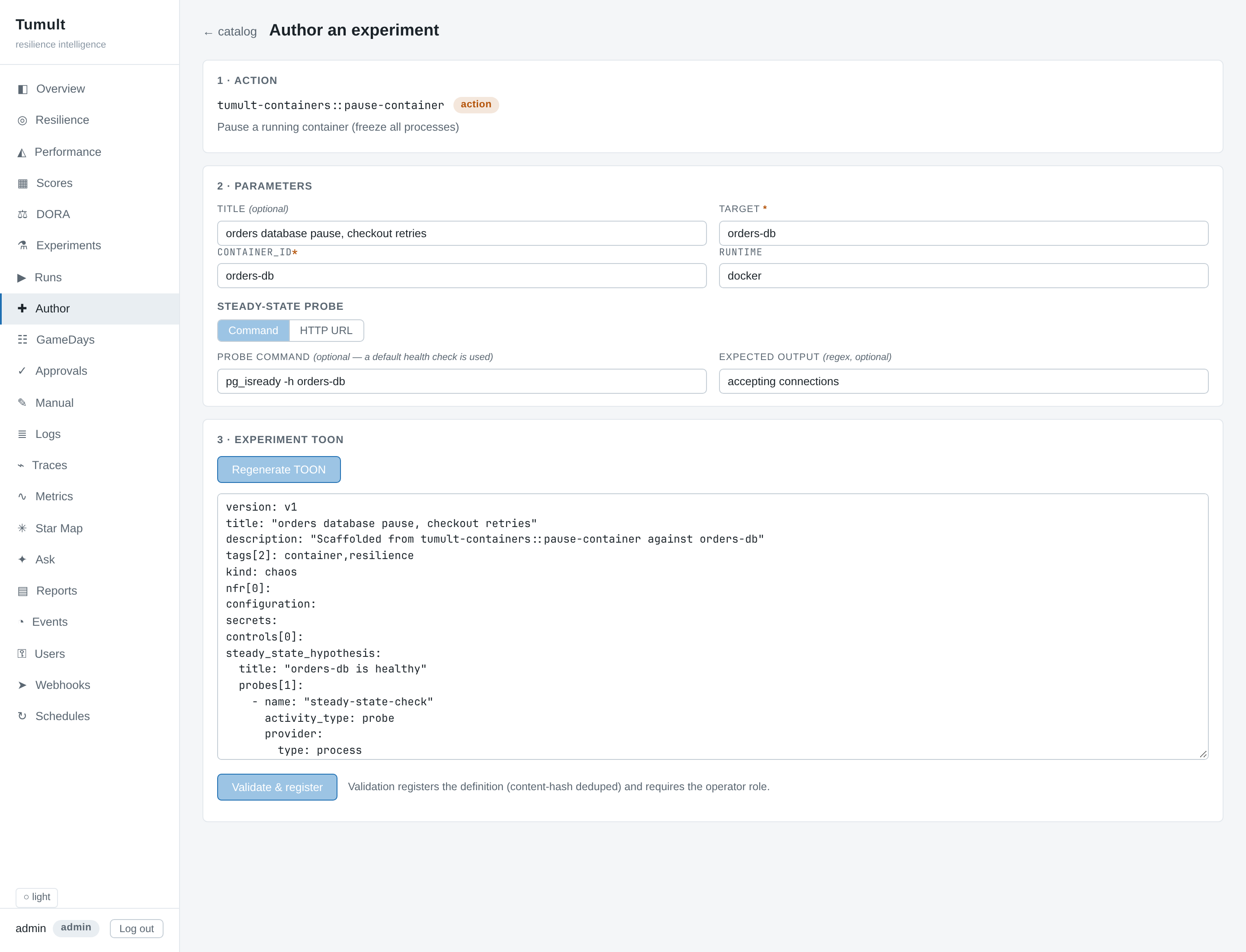
The Author page of Krönika asks for the same arguments in a form and writes the experiment for you: