Other ways to run
Get started runs Tumult from a terminal. These are the other ways in. Each needs Docker. Run the commands from the root of a clone of the repository.
flowchart TD
    accTitle: Pick a way to run Tumult
    accDescr: To learn in a browser, use Chaos Lab. To see the web UI with data, start the whole platform. To see an app under faults with traces, use the one-command demo. To start only some parts, use the Docker bundles.
    q{What do you want?}
    q -->|learn, in a browser| lab[Chaos Lab]
    q -->|the web UI, with data| platform[The whole platform]
    q -->|an app under faults, with traces| demo[The one-command demo]
    q -->|only some parts| bundles[Docker bundles]
Chaos Lab in your browser
Four guided lessons with the real engine, and an optional AI tutor. Open http://localhost:8089. More in the Chaos Lab README.
cd chaos-lab && docker compose up -d --build --wait
The whole platform in the web UI
The daemon, the web UI and a demo suite, so every page has data. Set the three KRONIKA_* values in .env first; the file says how. Then open http://localhost:14318/ and sign in as admin.
cp .env.example .env
docker compose -f docker/docker-compose.kronika.yml up -d --build
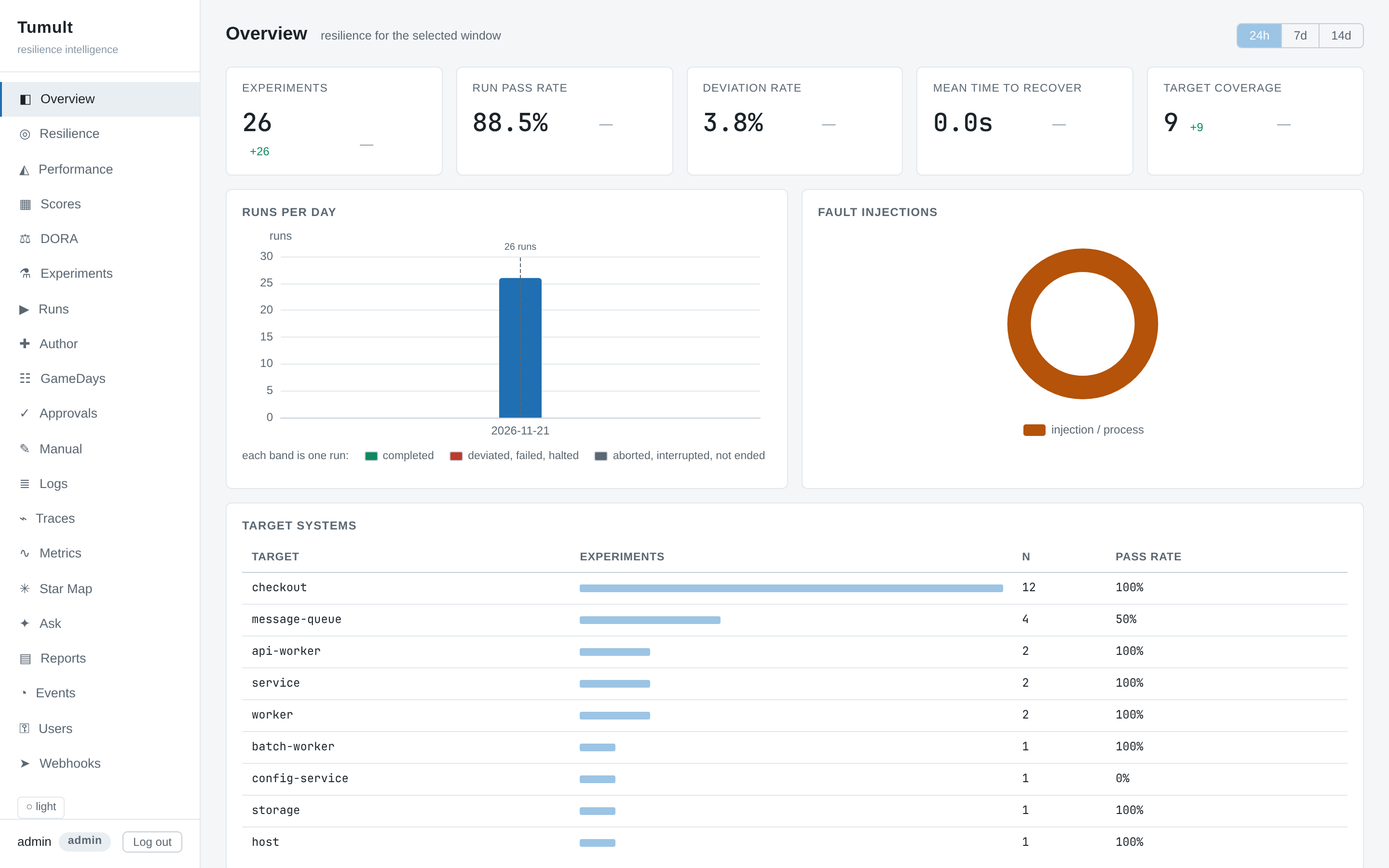
The platform walkthrough is a tour of every page.
The one-command demo
An order service under load, SigNoz at http://localhost:3301 and a control panel at http://localhost:8088. One fault per domain has already run when it opens. More in the demo README.
make demo # make demo-down stops it
Docker bundles
Start only the parts you need: test targets, SigNoz with a collector, the MCP server. More in the Docker README.
./start.sh infra observe   # targets, then SigNoz at http://localhost:3301
OTEL_EXPORTER_OTLP_ENDPOINT=http://localhost:14317 tumult run examples/redis-chaos.toon
The CLI in a container
No Rust needed for a first look:
docker run --rm ghcr.io/mwigge/tumult discover
To run experiments from a container, it needs access to the targets; see production deployment.