Get started
Install Tumult, start some test targets and run your first experiment. It takes about 10 minutes.
flowchart TD
    accTitle: The Get started path
    accDescr: Install Tumult, start the test targets, run an experiment, look at the results, then open the web UI to see scores and risks.
    install[1. Install] --> targets[2. Start targets]
    targets --> run[3. Run an experiment]
    run --> look[4. Look at the results]
    look -.-> ui[5. Open the web UI]
To learn in a browser first, or to see the whole platform with demo data, see other ways to run.
1. Install
You need Git, Make, Docker and Rust 1.92.0 or newer.
curl -sSL https://raw.githubusercontent.com/mwigge/tumult/main/install.sh | sh
cd tumult
The script clones the repository into tumult, builds the CLI, starts the test targets of step 2 and runs a short check. It copies tumult to /usr/local/bin when it may. If it may not, it tells you what to do.
Or build it yourself:
git clone https://github.com/mwigge/tumult.git && cd tumult
cargo build --release --locked -p tumult-cli -p tumult-net
export PATH="$PWD/target/release:$PATH"
No Rust? Each release has tumult for Linux and macOS. Put tumult and tumult-net-proxyd from the archive on your PATH, and clone the repository for the examples.
2. Start targets
From the root of the repository:
make up-targets
| Service | Port | Login |
|---|---|---|
| PostgreSQL 16 | localhost:15432 | tumult / tumult_test |
| Redis 7 | localhost:16379 | none |
| Kafka 3.8 | localhost:19092 | none |
| MySQL 8 | localhost:13306 | root / tumult_test |
| SSH server | localhost:12222 | key from make ssh-key |
3. Run an experiment
tumult run examples/redis-chaos.toon
Running experiment: Redis freeze — a paused store gives no answer, then comes back with its data
Status: Completed
Duration: 3262ms
Method steps: 5 executed
Hypothesis: met before, met after
Journal written to: journal.toon
Journal SHA-256: 5f0c…e91a
Ingested into persistent analytics store
It pauses Redis, shows that Redis gives no answer, and reads its key back afterwards. The journal is the record of the run; sha256sum journal.toon gives the same hash. Now try more:
| Experiment | Command |
|---|---|
| Kill PostgreSQL connections | tumult run examples/postgres-failover.toon --journal-path postgres.journal.toon |
| Add 200 ms network delay | tumult run examples/pumba-latency.toon --journal-path pumba.journal.toon |
| Stress a host over SSH | make ssh-key, then tumult run examples/ssh-remote.toon --journal-path ssh.journal.toon |
4. Look at the results
Every run goes into a local database, the lake.
tumult analyze --query "SELECT title, status, duration_ms FROM experiments ORDER BY started_at_ns DESC"
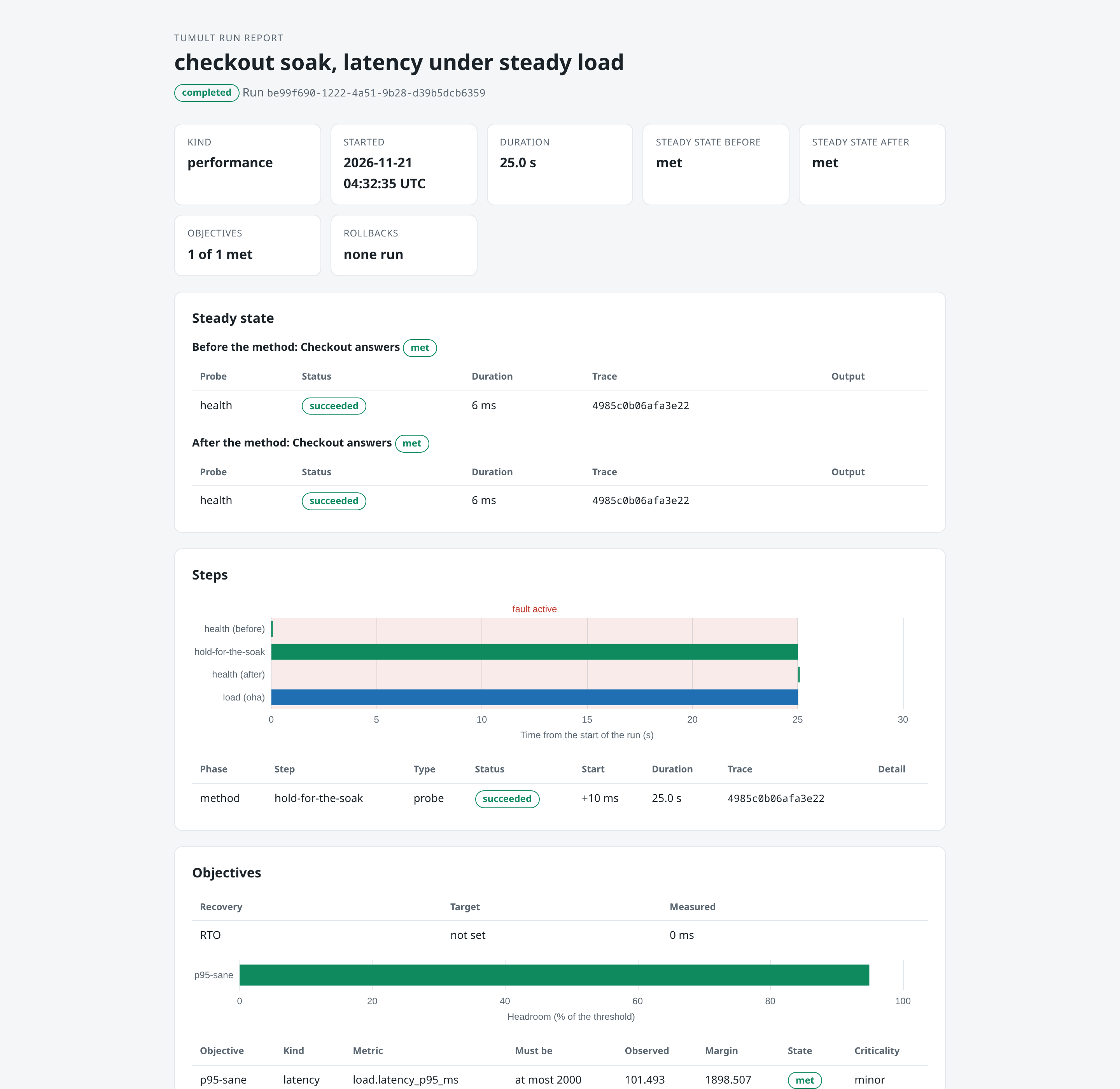
tumult report --format html journal.toon      # an HTML report
tumult compliance --framework dora .          # an evidence summary
tumult discover                               # what can I break?
5. Open the web UI
The web UI turns the evidence into scores, risks and verdicts. It runs in a stack of its own, with demo data: start the whole platform.
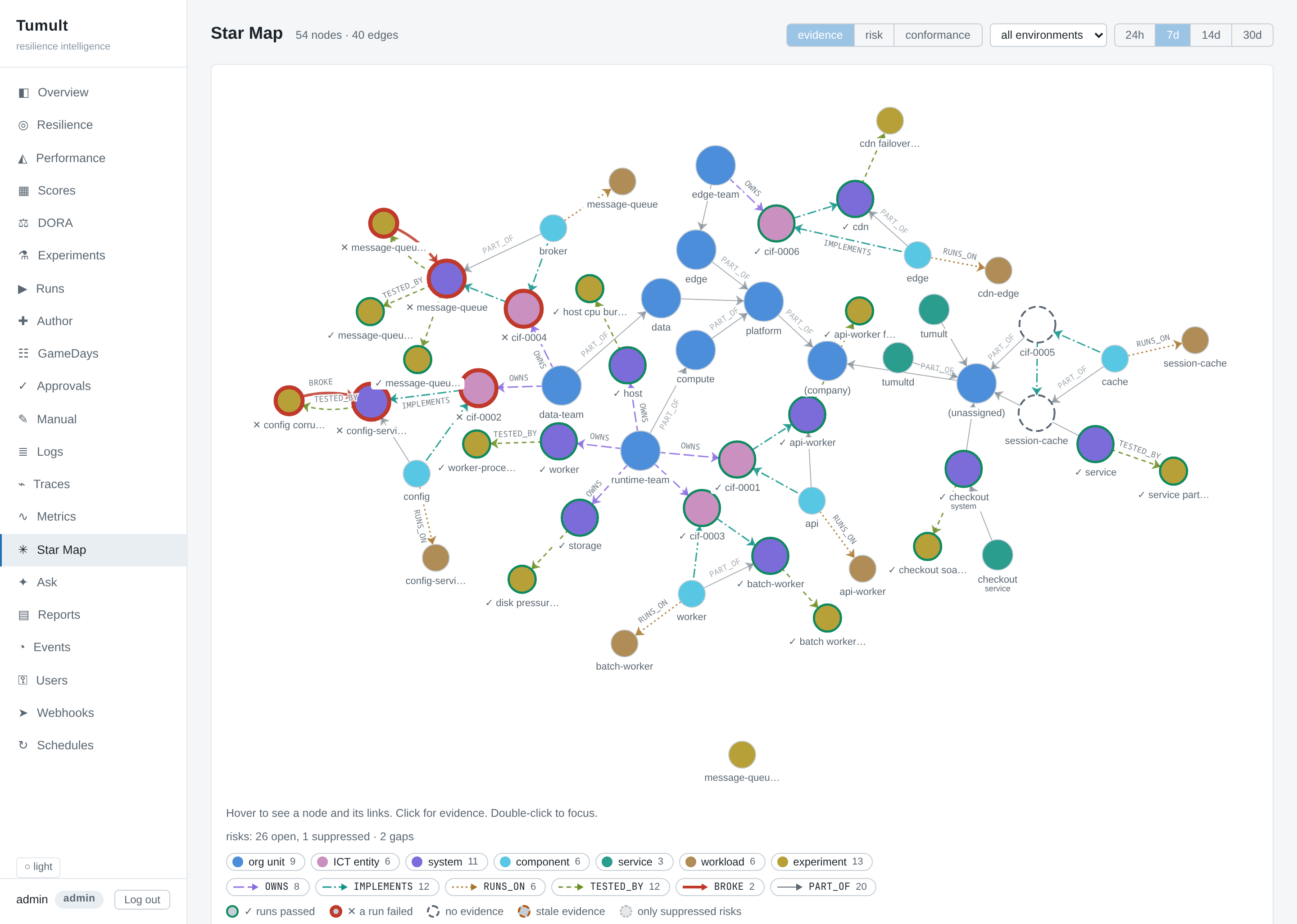
The platform walkthrough shows each page.
Stop
make down stops the targets.
Next
- Other ways to run: Chaos Lab, the demo, Docker.
- Your first experiment: test your own service.
- Platform walkthrough: every page of the web UI.
- How a run works and the experiment format.
- MCP guide: give an AI agent the same tools.